

- Group Anonymization: groups with sizes (=
absolute count) below the privacy threshold, respecting active filters and data segmentations, are classified as anonymized. - Deducibility of Anonymized Groups: counts of anonymized individuals are shown only when it’s impossible to infer the specific people attribute, requiring at least two groups to be below the threshold.
Group Anonymization
To safeguard individual privacy, our system anonymizes groups that are smaller than the designated privacy threshold. Anonymization involves altering the people attribute label to anonymized, rendering the group unidentifiable. The size of a group is the number of total users (or theabsolute headcount) respecting of the applied dashboard filters that include people attributes, location specifics (such as building and floor filters) and the selected timeframe.
The default privacy threshold is set at 10, aligning with standard privacy practices. However, customization to fit specific customer privacy policies is possible, with a mandatory minimum threshold of 3, as mandated by Locatee.
Deducibility of Anonymized Groups
In our analytics, the count of anonymized individuals is only displayed when deducing their specific people attribute is not feasible. For instance, if all people attributes except Finance are deselected, it becomes evident which group is anonymized, hence, in such cases, even the anonymized count is not displayed.Anonymization Example
Although the privacy policy can be fully articulated by two statements (see Summary above), there is more nuance to it in practise that might not be obvious at first glance. In this section, we go through a practical example that provides a more cohesive understanding of the privacy policy in Team Analytics. For the following example, the privacy threshold has been set to 5.Summary average headcount vs. headcount timeline
Example
- Period: January 2024
- Summary calculation: Average headcount
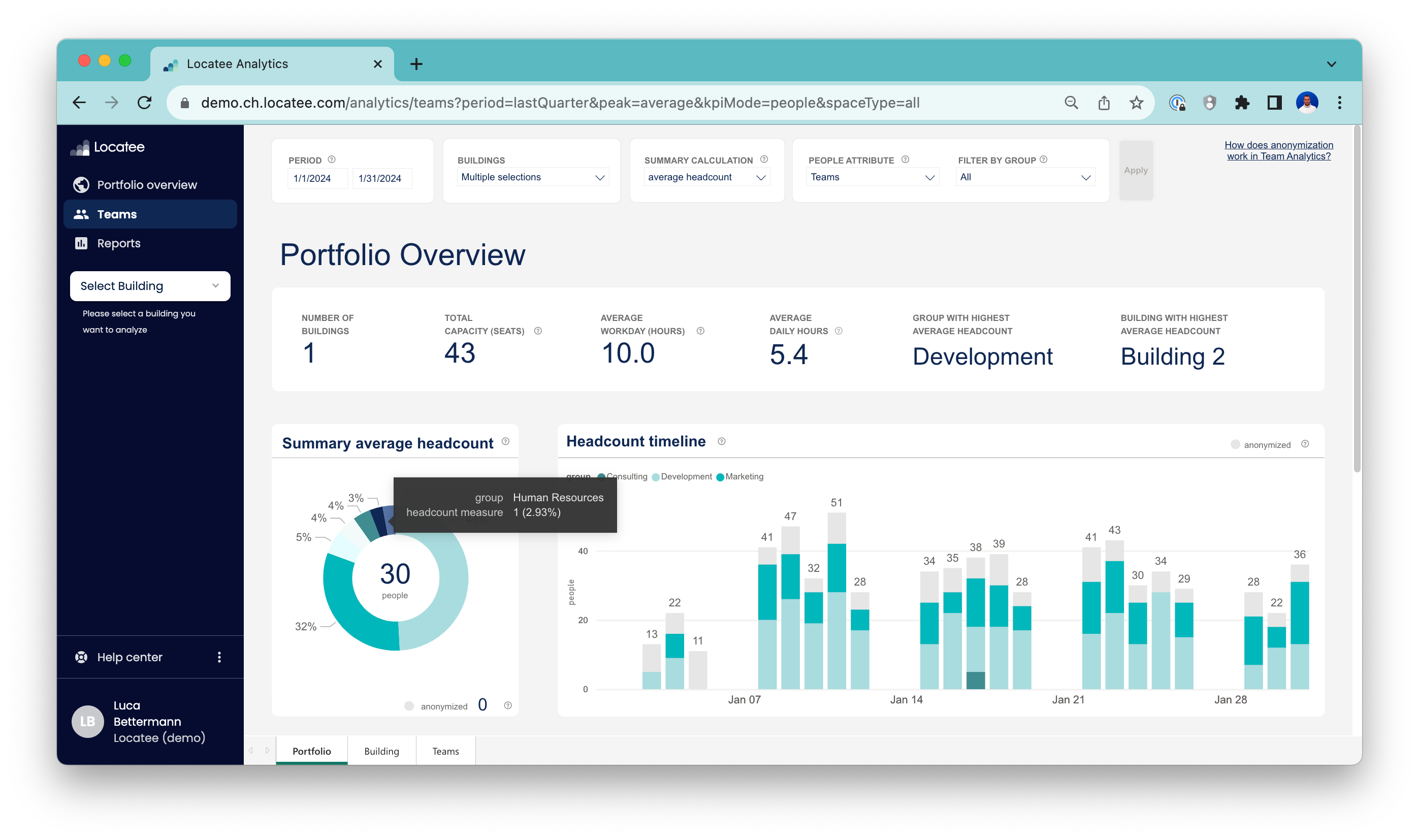 One can observe that there are anonymized headcounts in the Headcount timeline. In fact, there is only identified data for the teams Consulting, Development and Marketing. However, in the Summary average headcount graph more teams are present. Additionally, Human Resources has an average headcount of 1, which is below the privacy threshold. Therefore, one could have the following questions:
- Why is data anonymized in the Headcount timeline but not in the Summary average headcount graph?
- Why is Human Resources with an average headcount of 1 not anonymized?
Absolute headcount and the group size
To answer these questions, one should recall the formulation of the policy:- Groups with sizes (=absolute count) below the privacy threshold, respecting active filters and data segmentations, are classified as anonymized.
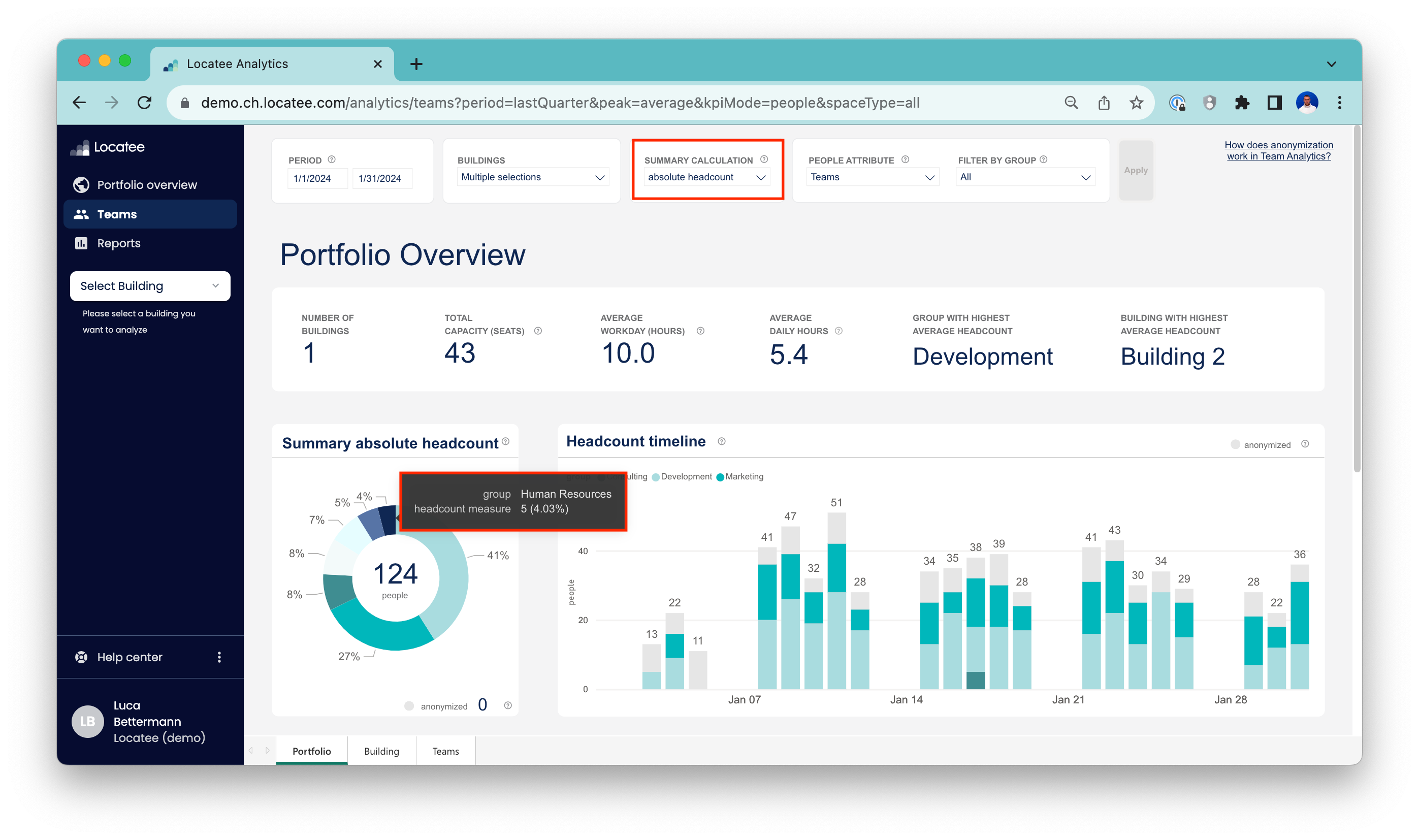 Now, one can observe that the absolute headcount of Human Resources is 5, which meets the privacy threshold. Even though the average headcount of Human Resources is 1 (as seen earlier), the data is still displayed since the overall group is large enough. In the Headcount timeline however, there are never more than 5 people from Human Resources present on the same day.
📘 Info
The size of a group, or the absolute_headcount, is evaluated on a daily basis in the Headcount timeline, whereas in the Summary graph the full period is taken into account when defining the group size.
Anonymization in the Summary graph
As a last segment of this example, the anonymization in the Summary graph is explored. The settings are now defined as follows:- Period: 1st to 12th of January
- Summary calculation: Average headcount
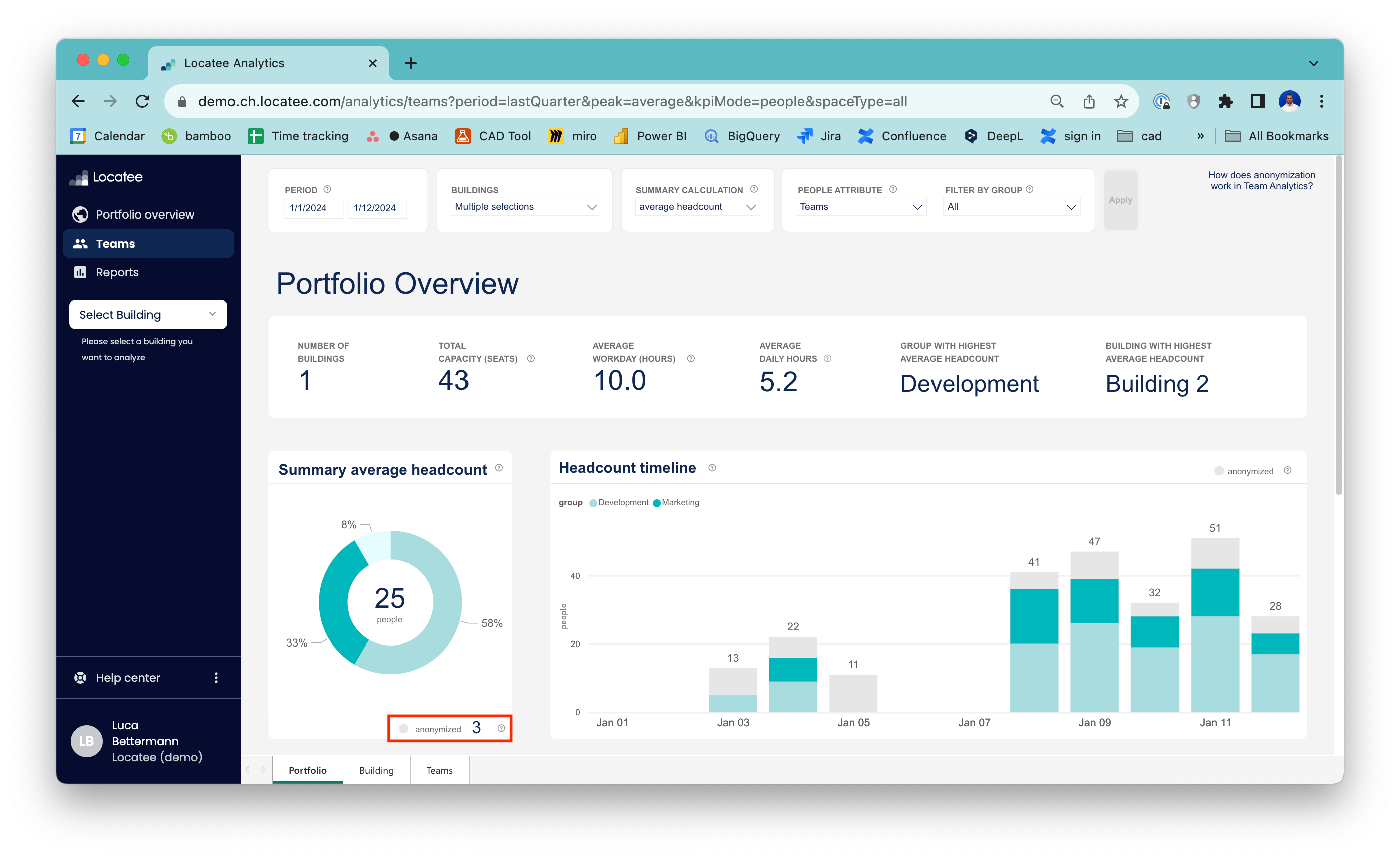 All that was changed from the first example is the time period. The values in the reduced Headcount timeline are unchanged, as expected. However, the Summary average headcount graph has adjusted; apart from the fact that overall value has changed (as expected, since the time period has been reduced), there are only three anonymized teams displayed. Additionally, one can observe that an average headcount of 3 is contributed from anonymized sources to the total average headcount of 25. By reducing the time period, the size of some teams, including Human Resources, has fallen below the privacy threshold of 5.