

- Average utilization
- Average peak
- Absolute peak
Contextual differences in peak calculations
The calculation of utilization metrics can differ based on the context in which they are evaluated, whether at the building or the team level. These differences arise due to the varying usage patterns and peak times across different teams and buildings. The following example illustrates the difference.Building level evaluation
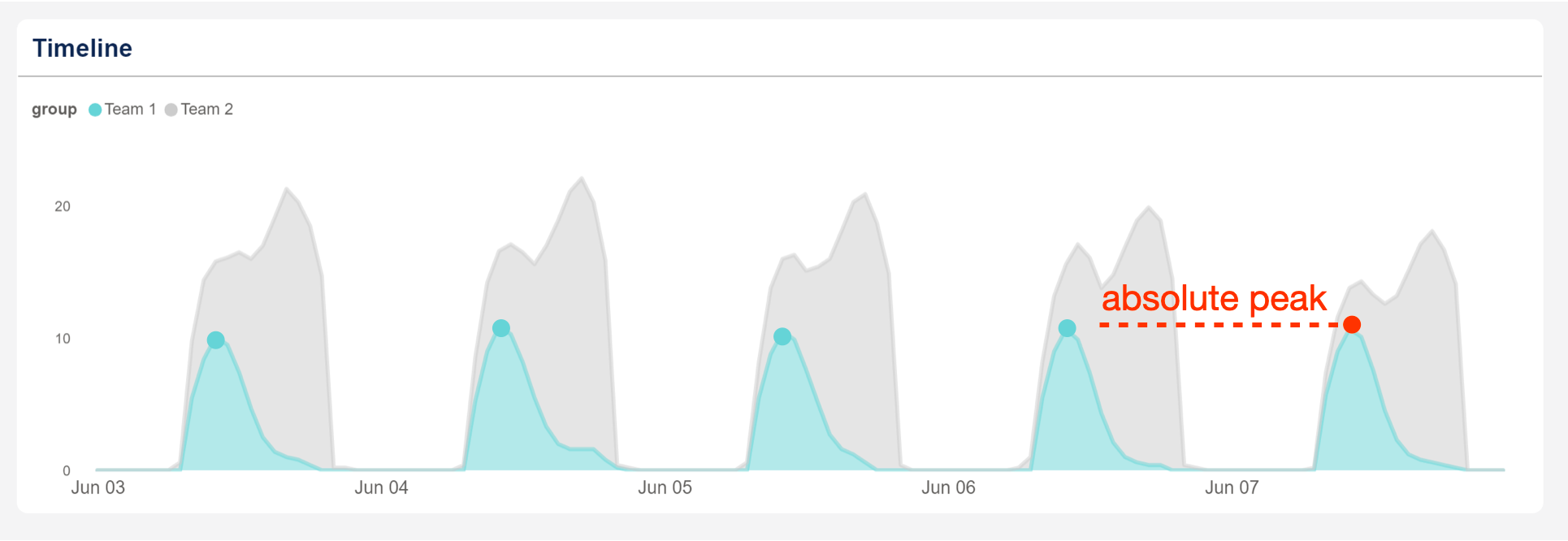
On the building level, the daily utilization peak happens at 4 PM, with a total of 21 people. This is the maximum amount of people that are present in the building simultaneously on that day.Team level evaluation
In this example, the Team 1 is evaluated in isolation. The daily utilization peak happens at 10 AM, where 10 people are present in building at the same time. Note that the peak of Team 1 is not required to align with the building peak.Utilization metrics
Average Utilization
The average utilization is defined by the average number of people that utilize the portfolio. This metric helps in understanding how efficiently the buildings capacity is being used. In graphical terms, it is evaluated by taking the average of the shaded area.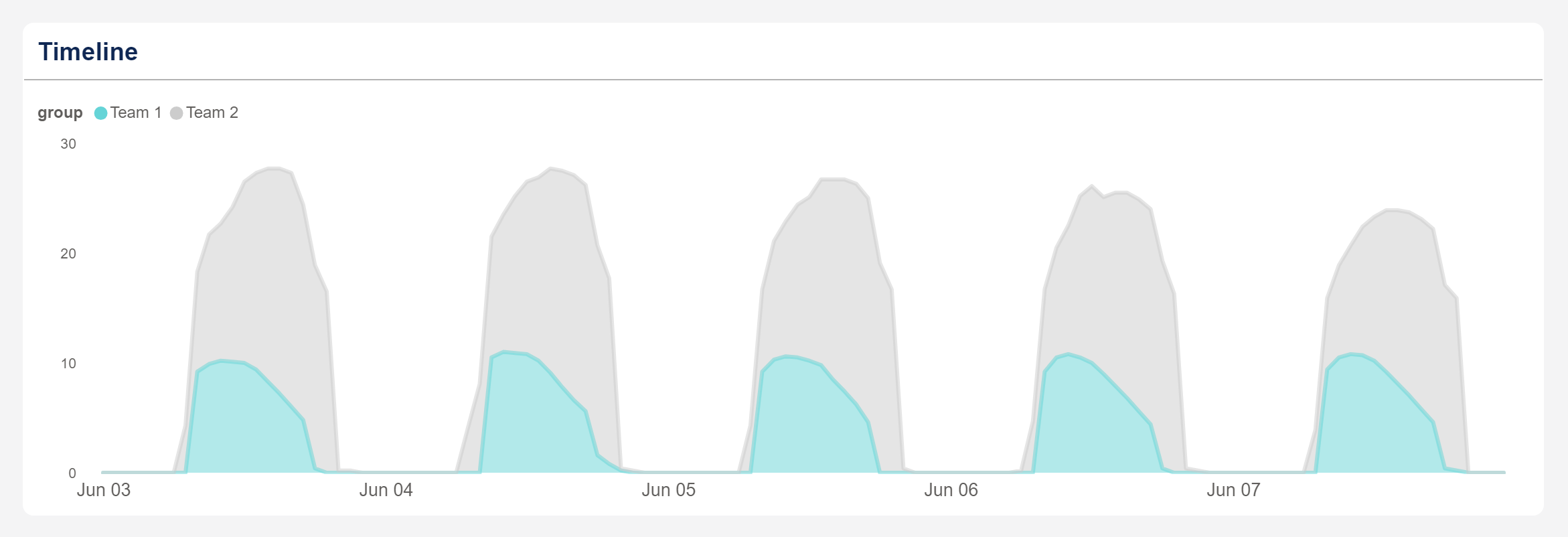
Average Peak
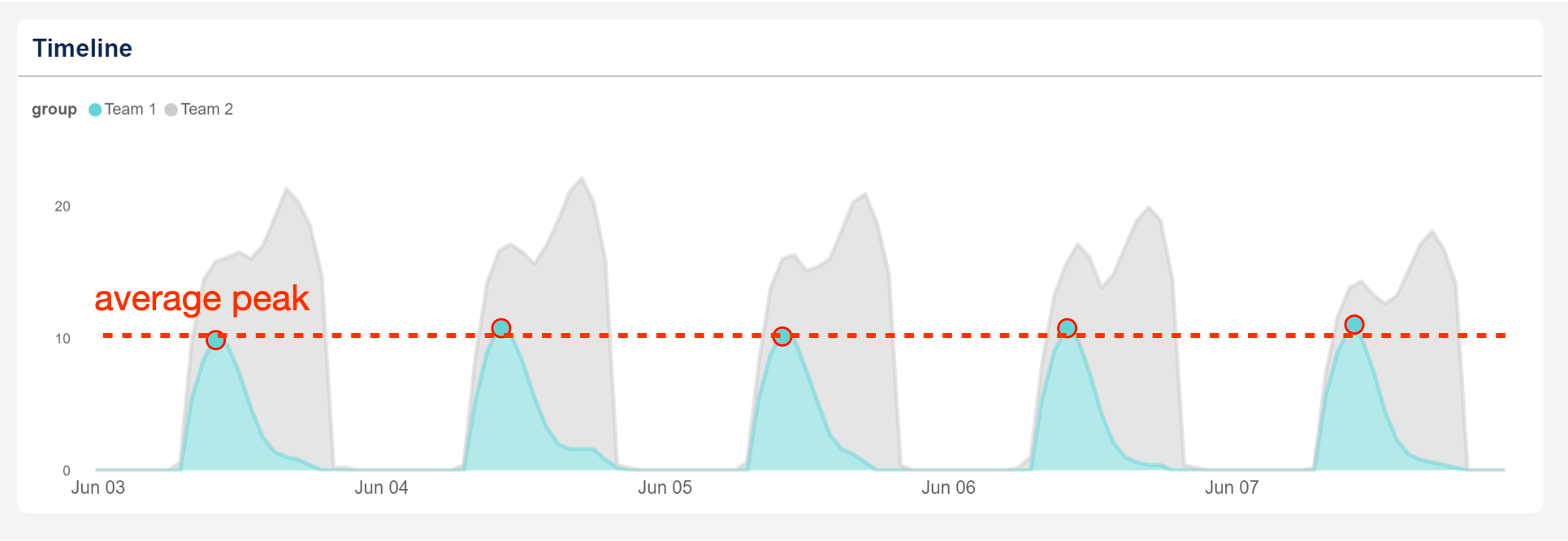
The average peak refers to the average of the daily utilization peaks. This metric allows for a more aggressive optimization of your portfolio. In graphical terms, it is computed by taking the average of the daily peaks.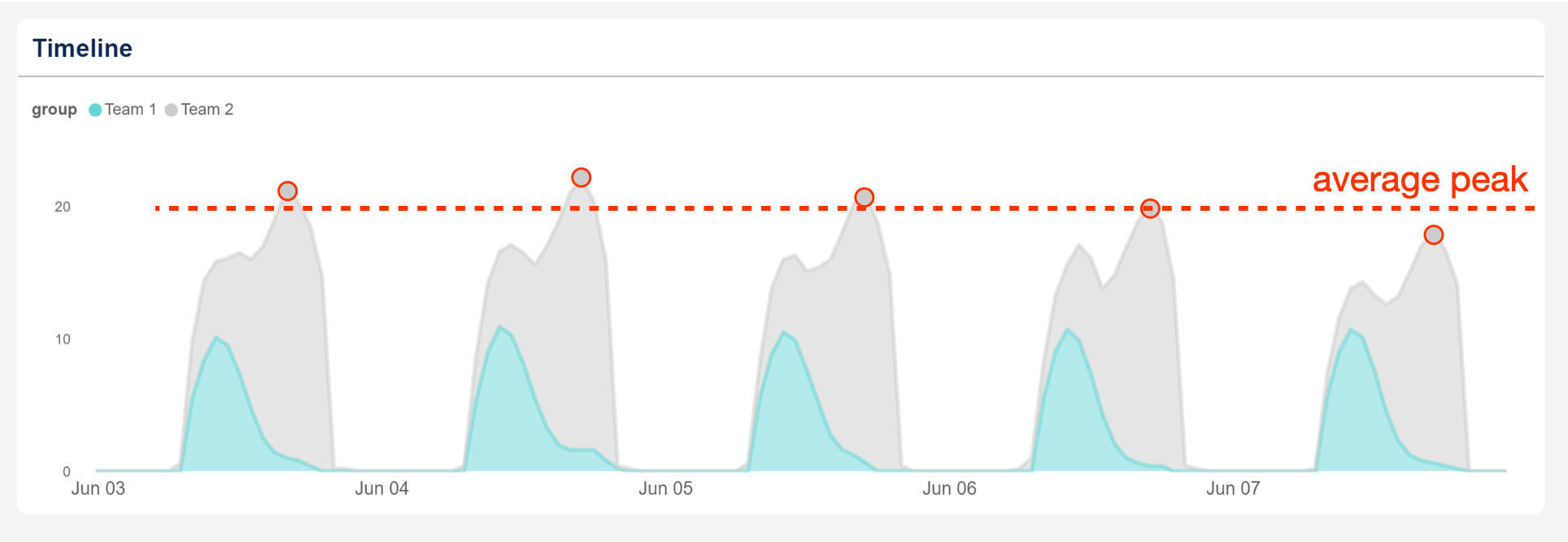 If the average peak is evaluated for Team 1 in isolation, the daily peaks are shifted accordingly.
Absolute Peak
The absolute peak is the maximum of the daily utilization peaks. This metric is useful for a more conservative optimization of your portfolio by focusing on the highest observed usage.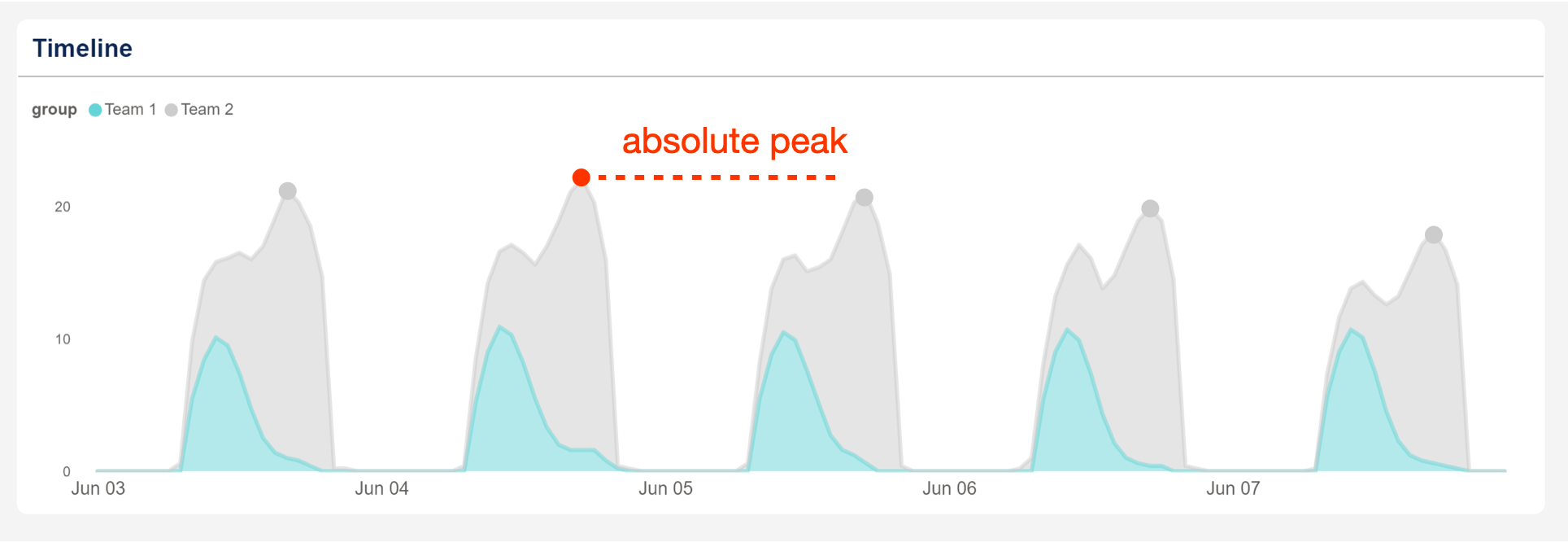 If the absolute peak is evaluation for Team 1 in isolation, the daily peaks shift accordingly. Note how the absolute peak is now occuring at a different time then at the building level.
Implementation in Team Analytics
The following example illustrates how the conceptual differences in utilization are implemented in Team Analytics. The left chart shows an example of a peak calculation on a portfolio level. The right chart shows the structure of a graph when the peak is evaluated on a team-by-team basis.Teams evaluated as a single entity
In the left chart chart, the absolute peak is evaluated on the portfolio level. The chart then shows the composition of teams during at the moment of the absolute peak. In the right chart, the absolute peak is evaluated for each team separately. The timestamps of the those peaks are independent of each other.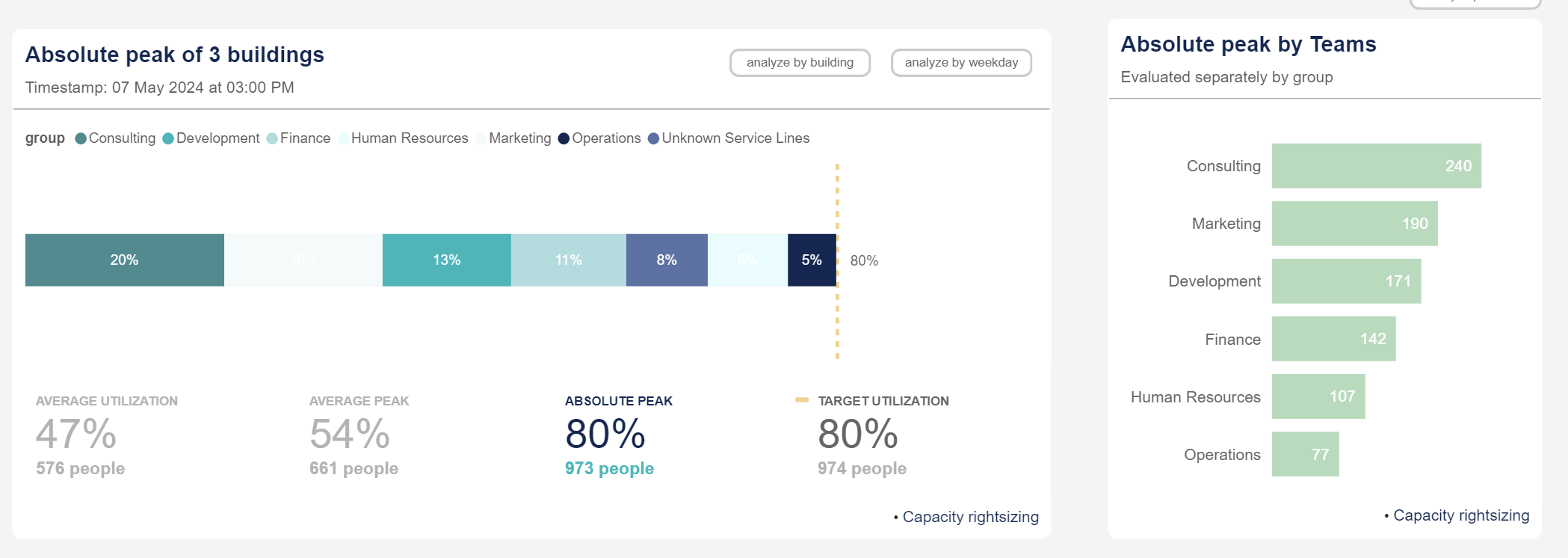
📘 Info If a chart displays the aggregation of teams utilization, the peaks are evaluated on a portfolio, building or floor level. Whenever a chart evaluates the teams separately, the utilization peaks of the teams are calculated independent of each other.