

Generate an API key
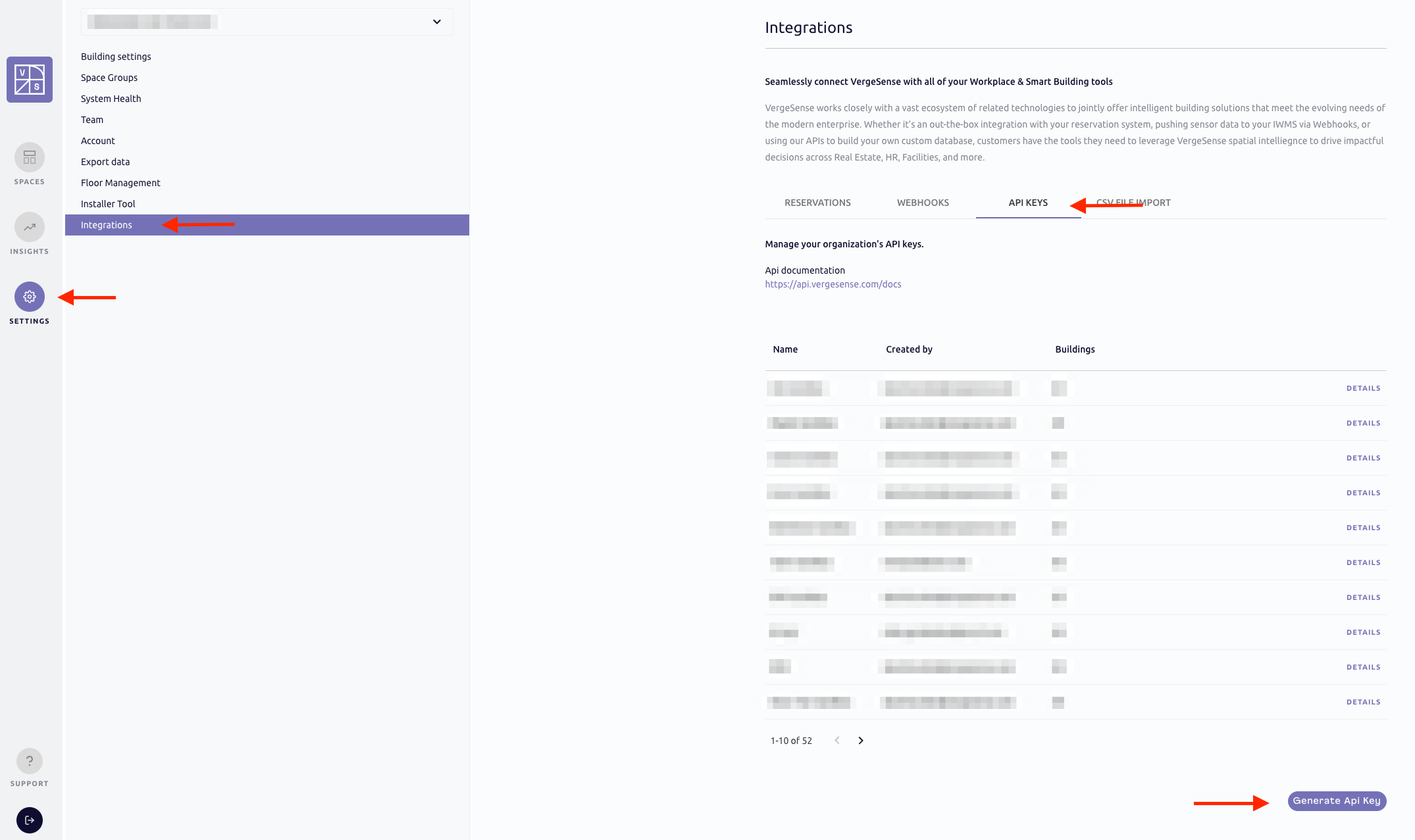
- Sign into the Vergesense dashboard and go to the Integrations page.
- Go to the API keys section and click on Generate API key.
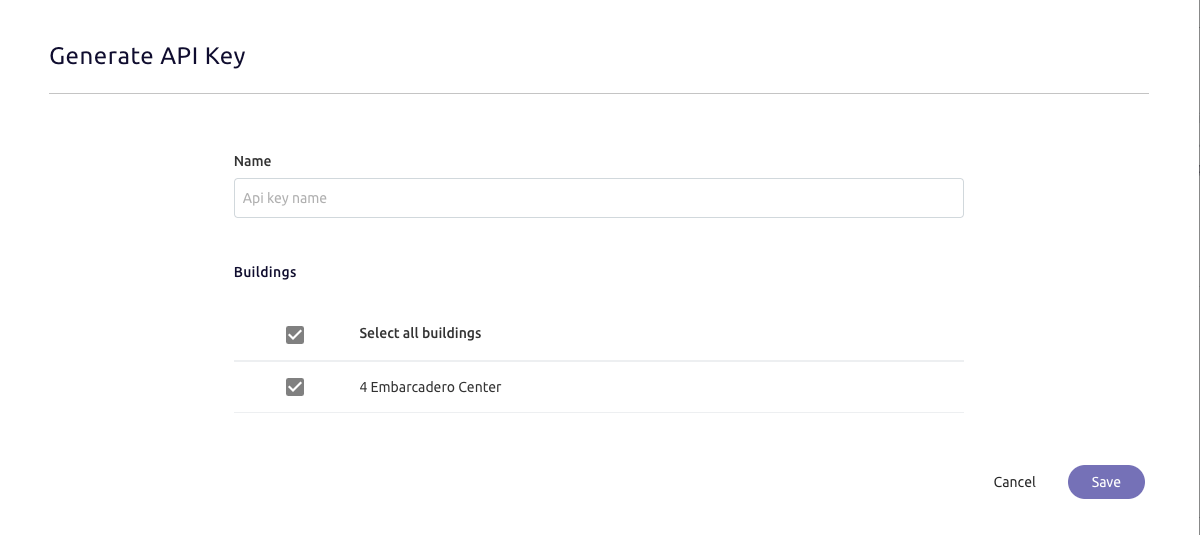
- Select the buildings you wish to enable access for, then click Save.
 Inform the Locatee Service Desk (support@locatee.com) and submit the generated key in your request.